What to Buy for Starting a Podcast
Starting a podcast is more accessible than ever, but choosing the right equipment from the beginning can save you a lot of frustration and money down the road. The three core components you need are a quality microphone, a reliable pair of headphones, and recording software, and each plays a distinct role in producing clear, professional-sounding audio. Getting these fundamentals right means your listeners will stay engaged rather than tuning out due to poor sound quality.
When it comes to microphones, beginners typically choose between USB and XLR models. USB microphones plug directly into your computer and are ideal for solo podcasters who want a simple setup, while XLR microphones offer better audio quality and scalability but require an audio interface. Popular entry-level options like the Audio-Technica ATR2100x or the Rode NT-USB Mini strike a great balance between affordability and performance. Closed-back headphones are essential for monitoring your audio in real time, they prevent sound bleed into the microphone and help you catch issues like background noise or plosives as you record.
For recording software, also known as a DAW (Digital Audio Workstation) or podcast-specific platform, you have several strong free and paid options to consider. Audacity is a free, open-source tool that works well for straightforward recording and editing, while GarageBand is a solid free choice for Mac users. Paid options like Adobe Audition or Hindenburg Journalist offer more advanced features for editing multi-track interviews or adding professional polish. Choosing software that matches your technical comfort level will make the editing process far less daunting as you build your podcasting skills.
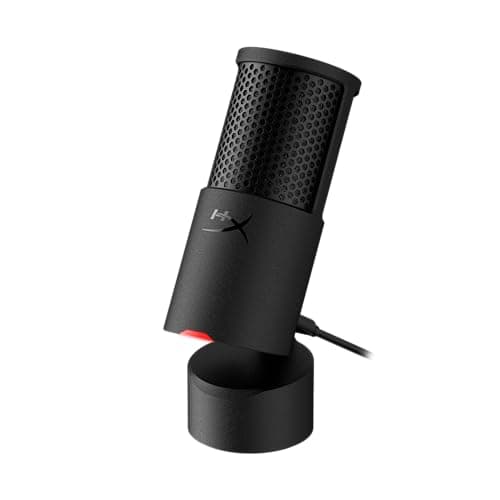
HyperX SoloCast 2 – Gaming USB Condenser Mic for PC, USB-C to USB-A, Built-in Pop Filter, Internal Shock Mount, Plug and Play, 24-bit / 96kHz, Compact Tiltable Stand – Black
$58.41
Amazon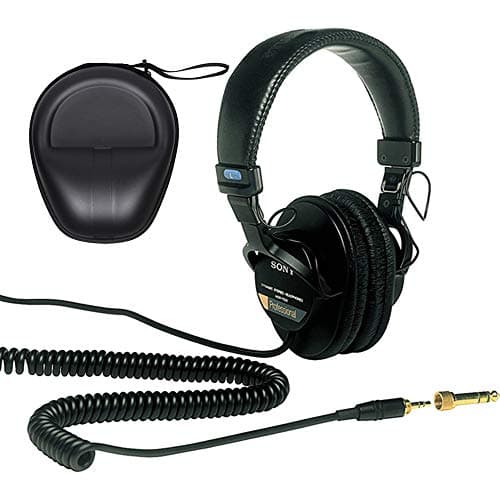
Sony MDR-7506 Professional Large Diaphragm Headphones with Headphone Case Bundle
$143.38
Amazon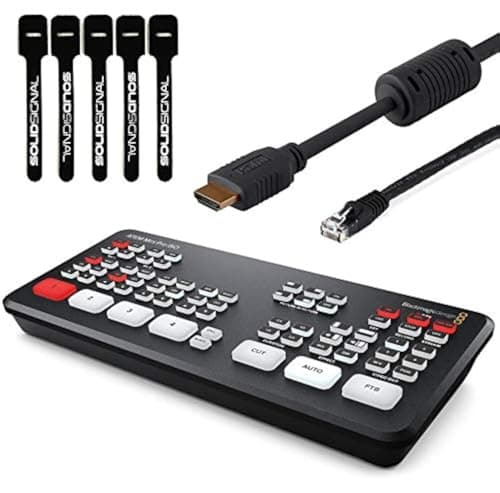
Blackmagic Design ATEM Mini Pro ISO HDMI Live Stream Switcher Bundle with 6’ HDMI Cable, 7’ Cat5e Cable, and 5-Pack of SolidSignal Cable Ties (SWATEMMINIBPRISO)
$579.00
AmazonFrequently Asked Questions
Should I buy a USB or XLR microphone for my first podcast?▼
What is a reasonable budget for a beginner podcast setup?▼
What kind of headphones do I need for podcasting?▼
Is free recording software good enough, or should I pay for a DAW?▼
Do I need any accessories beyond a microphone, headphones, and software?▼
Want a cart customized to your exact needs?
Build your own custom cart →